Search  for anything...

Brother Sublimation Printer

  • Based on 394 reviews
Condition: New
Checking for the best price...
$393.34 Why this price?
Save $56.65 was $449.99

Buy Now, Pay Later


As low as / mo
  • – Up to 36-month term if approved
  • – No impact on credit to apply
  • – Instant approval decision
  • – Secure and straightforward checkout

Ready to go? Add this product to your cart and select a plan during checkout.

Payment plans are offered through our trusted finance partners Klarna, Affirm, Afterpay, Apple Pay, and PayTomorrow. No-credit-needed leasing options through Acima may also be available at checkout.

Learn more about financing & leasing here.

Selected Option

Free shipping on this product

FREE 30-day refund/replacement

To qualify for a full refund, items must be returned in their original, unused condition. If an item is returned in a used, damaged, or materially different state, you may be granted a partial refund.

To initiate a return, please visit our Returns Center.

View our full returns policy here.


Availability: In Stock.
Fulfilled by Amazon

Arrives Thursday, Mar 26
Order within 5 hours and 54 minutes
Available payment plans shown during checkout

Protection Plan Protect Your Purchase
Checking for protection plans...

Style: Sublimation Printer


Features

  • Compatible with Artspira: Import and save up to 20 printing images easily with the Artspira app. With access to printing patterns and designs, plus the ability to convert images into poster-style drawings, Artspira will have you creating on the go
  • Create in Artspira: To start using the Brother Sublimation Printer, you must first download the Artspira app. Once in Artspira, you can access over 100 sublimation designs, stylistic photo authentic images, and more.
  • Make readymade clothes all yours: Use the Brother Sublimation Printer for your next DIY Project. It's as easy as creating your design on Artspira, transferring it, printing, heat pressing, and finishing. Heat press required-additional purchase necessary
  • Fast printing speeds: With fast printing speeds, you can quickly show off your custom project in vibrant color
  • Brother Genuine Sublimation Ink: Crafted for vibrant, long lasting results, Brother Sublimation Ink prints in muted tones on paper and is activated by heat to transfer into bright, rich colors on your project.
  • Press Once, Wash Often! : The Brother SP1 is designed to create projects with longevity. Unlike traditional iron on or iron pressed vinyl transfers, sublimation used the heat and pressure of a heat press that melts the ink into polyester coated items (mugs, shirts, bags, hats and more!) and stays vibrant throughout multiple wash and wear cycles.
  • Brother Reliability: Brothers reputation for creating first-rate, high-quality products continues with the Brother Sublimation Printer
  • This product is intended for sale only in the US at 120 volts, and any other use or sale may void the warranty.

Description

Unleash your inner bold and bloom-tiful creativity with the Brother Sublimation Printer. The Brother Sublimation Printer is ideal for any maker, artist, or designer as it allows you to create vibrant color projects such as tee shirts, tote bags, ceramic mugs, metal tumblers, coasters and more using Artspira, Brother’s editing and design app. Once you design in Artspira, you can quickly transfer your creations to your Brother Sublimation Printer and print high-quality, vibrant color designs. How does sublimation printing work? Sublimation printing prints your graphic onto a sheet of sublimation paper. Then, you use a heat press to transfer the design from the paper onto your product. Dye sublimation printing is a technique that uses heat to transfer images onto sublimation surfaces like shirts, hats, jackets, awards, mugs, mousepads, home decor, tumblers, and coasters (for best results, use materials that have polyester, or a polymer coating. Try to avoid natural fibers and materials/fabrics). Create custom projects for birthdays, celebrations, and inviting home decor. With the Brother Sublimation Printer, your imagination, and Artspira, creating personalized pieces in vibrant color with exceptional print quality is fun. To start using the Brother Sublimation Printer, first download the Artspira app. Downloading and setting up Artspira is easy! Access the app store, download the app, create an account, and connect your machine. Once in the Artspira app, you can access over 100 sublimation designs, stylistic photo authentic images, and more! Don’t want to use the app? No problem, access the print driver here to be able to print from your desktop. ( Engineered to work seamlessly with your Brother Sublimation Printer, four Brother Genuine Ink cartridges are included (Black Sublimation Ink (SP01BKS), Yellow Sublimation Ink (SP01YS), Magenta Sublimation Ink (SP01MS), Cyan Sublimation Ink (SP01CS)), and administer superior print quality and performance while delivering outstanding results. Excellent for ink saturation, Brother Genuine Sublimation Paper (SP01PL) is the go-to supply for your Brother Sublimation Printer. With a compact design (17.1" W x 13.5" D x 6.2" H), and a 2.7" Touch Panel, the Brother Sublimation Printer is ready to add another level of creativity for customers who want vibrant color transfers without having to spend big money on screen printing or competitor machines. And when paired with Artspira, customers can access free designs and support! So, get ready to unleash your inner bold and bloom-tiful creativity with the Brother Sublimation Printer. Disclaimer: Compatibility may vary by device and operating system. Requires connection to a wireless network.

Specs & Other Info

SpecificationDetails
BrandBrother
ConnectivityWi-Fi Enabled
Printing MethodDye Sublimation Technique
Key FeatureIntegrated Display Screen
Product ColorPristine White
ModelSP-1 Sublimation Printer
Output TypeColor
Max Color Print SpeedUp to 0.01 ppm
Max Monochrome Print SpeedUp to 0.01 ppm
Dimensions (DxWxH in Inches)10.8 x 20.1 x 19.1
Controller CompatibilityiOS
Max Media Size8.5x11 inches
Included ItemsBrother Genuine Ink (Black, Cyan, Magenta, Yellow), Sublimation Paper Starter Pack
Printable MaterialsFabric, Glossy Photo Paper
InterfaceUSB
Control TypeTouchscreen
Package Weight19.26 lbs
Model NumberSP-1
Market Introduction DateOctober 23, 2023
Manufacturer NameBrother International Corp
Origin CountryPhilippines

Frequently asked questions

A sublimation printer, like the Brother Sublimation Printer, works by using heat to transfer dye onto materials such as plastic, card, paper, or fabric. The process involves the printer converting solid dye to gas without going through a liquid stage, allowing the ink to permeate the material and create vibrant, full-color, and lasting images. This method is popular for creating custom apparel, signage, and merchandise.

No, the Brother Sublimation Printer is optimized for specific materials that are coated or composed of polyester. This is because the sublimation process requires materials that can withstand the heat and properly bond with the dye. While it excels at printing on materials like polyester fabrics and coated ceramics, it won’t work on 100% cotton or non-coated materials.

To maintain your Brother Sublimation Printer, it's important to regularly clean the print head to prevent clogging, use it frequently to keep the ink from drying out, ensure you're using the correct type of ink and paper recommended by Brother, and follow the maintenance schedule provided in the printer’s manual. Proper care can extend the life of your printer and ensure consistent print quality.

While third-party inks might be compatible with your Brother Sublimation Printer, using them could void your warranty and potentially harm the printer’s performance. Brother devices are designed to work best with their own brand of ink, formulated specifically for their printing technology. For warranty and quality reasons, it is recommended to use official Brother inks.

Top Amazon Reviews

🚀 Abunda's Overview

This is our summary and key points to consider based on customer reviews.


The Brother SP1 Sublimation Printer has garnered positive feedback for its high-quality, vibrant printouts and compatibility with a variety of sublimation blanks. Users appreciate its self-cleaning feature, ensuring longevity and reliable performance. However, some have expressed concerns over the inability to design on larger screens due to app limitations, and others pointed out the printer's preference for Brother-specific supplies. Despite a few shortcomings mentioned, such as occasional issues with color intensity and software limitations, the overall sentiment is highly favorable, especially for beginners in sublimation printing.

Pros

  • 🖨️ High-quality, vibrant printouts
  • 📱 Compatible with Artspira app for convenient designing
  • 🧼 Self-cleaning feature for maintenance ease
  • 👍 Good for beginners and small craft projects
  • 📝 Can use alternative design software like Photoshop Elements or Corel Paint

Cons

  • 📲 App only available on smartphone or tablet, limiting design on larger screens
  • 💼 Prefers Brother-specific sublimation paper and ink, potentially raising long-term costs
  • 🔍 Some users report color and lightness issues when printing photos
  • 🔄 Software limitations and lack of support for Adobe products without a printer profile
  • ⏳ Prints slower with detailed projects

Should I Buy It?

If you're new to sublimation printing or looking for a dependable printer for small-scale projects, the Brother SP1 could be an excellent investment. Its ease of use, quality of prints, and self-maintenance features stand out. However, if you require more flexibility in design software or are looking to undertake large-format projects, you might want to consider other options. For hobbyists and small business owners focused on sublimated products, this printer offers a solid starting point.

  • Amazing product!
Style: Sublimation Printer
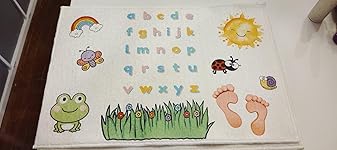
All I can say is "WOW". I was skeptical about changing over from my Sawgrass to another brand of sublimation printers. But now I wish I started here from the start! Not only does this machine cost a good amount less with the same paper sizes and options as my SG500 but the ink is cheaper per cartridge and 11ml larger than the standard 30ml I am use to. Set up was super easy, as well as the connection. My prints are bold, bright, and beautiful. I am amazed! I am thankful that the details in the prints show through no matter what material I am pressing on. As a business owner, I need a good, efficient printer that doesn't cost more than the product I am selling. I can't wait to continue using my machine. I have not run into any maintenance issue and can not speak on anything of that as of now. Attached photos; however, my camera did not do it justice. ... show more
Reviewed in the United States on January 15, 2026 by Fam Of 4

  • Good image quality
Style: Sublimation Printer
Has good print quality and has worked well. I like the tray paper feed for regular size and that I can use the back paper feed set up for my mug sized sublimation paper. I had considered converting an ink jet to a sublimation, but for a little more decided to try this. Glad I did. Set up was pretty easy and I'm happy with the color quality and accuracy. I wasn't sure when I first saw the print out, but once the sublimation was doen, it was great. ... show more
Reviewed in the United States on January 24, 2026 by JP

  • Great sublimation printer for the price point! Easy set up!
Style: Printer + Ink
For months I had been looking at this Printer and trying to decide which printer for Sublimation was the right one for me. So I went and did some research and I found some YouTube videos from some crafters that I follow, which had some great videos for comparisons to other sublimation printers with reviews, pros and cons, set up instructions out of the box, ect. Angie Holden on YouTube has a great video on her Channel if you want to watch it? It was the one that helped me decide to buy this printer! You can print straight from your phone or iPad or go to the brother website and print a software on a home computer and print designs that way as well. This printer was so easy to set up!The part that was a con for me, and seemed to be a con for a lot of others, was the color scheme as it reminds me of an 1980’s trapper keeper notebook. lol. I almost didn’t buy this printer just because of that reason as I like neutrals, pastels, and white in my craft room, however, after watching the videos on YouTube, I decided that maybe I could get used to it! When I received it finally and took it out of the box, I was kind of excited when I noticed that those multicolored areas just may be removable? I very carefully took my fingernail and picked at a corner until I saw it raise up…I grabbed it very carefully and very slowly because I didn’t want to damage the finish but I took my time and I peeled it back a little at a time until it all came off. Then, one by one., I eventually got them all off! Just a little bit of adhesive was left behind in a couple of places from the decal because they are pretty strong decals but I sprayed some goo gone on my finger and dabbed it in those spots and it came right up. I then cleaned it off with 100% alcohol and a cotton ball. I absolutely love it now and if this color scheme is preventing you from wanting to buy, just know these decals are removable if you take your time and do it the right way! I will post a couple of after photos so you can see just how pretty it is without the decals on it! Hope this helps! ... show more
Reviewed in the United States on February 23, 2025 by Robyn

  • Perfect for my needs
Style: Printer + Ink
Has worked perfectly so far. Easy to set up and start working with. The sublimation paper it came with was helpful for practice, but I ended up buying A-Sub paper instead and I really like the quality. It has a mind of its own sometimes and will randomly make noise like it’s printing, but it’s just cleaning itself ... show more
Reviewed in the United States on January 29, 2026 by Hannah Burgess

  • Sublimation printer
Style: Sublimation Printer
So easy to set up and works great keeps the ink warm but does not stay on all the time = perfect
Reviewed in the United States on December 10, 2025 by Kindle Customer

  • Vibrant Prints for Tumbler Crafts
Style: Sublimation Printer
The Brother Sublimation Printer makes sharp, colorful designs on tumblers. Easy to set up and compact, perfect for craft projects. Just remember: you need the right coated blanks and a heat press — the printer alone won’t do it. Printer functions great. It’s great for crafters wanting professional-looking results! ... show more
Reviewed in the United States on November 4, 2025 by Allie

  • Sublimation printer
Style: Sublimation Printer
I’ve had this machine for a while and I love it. The problem is I didn’t understand the the Artspira that came with it and I never got to use it, but the printing itself is very good.
Reviewed in the United States on February 18, 2026 by BlueFoxRun

  • NOt good... not great... horrible
Style: Sublimation Printer
I’m thoroughly disappointed with the Brother Sublimation Printer and would not recommend it. Out of the box, the setup process was more complex than anticipated, with unclear instructions and frequent errors. The print quality was inconsistent, with colors often coming out dull or inaccurate, despite multiple attempts at calibration. I experienced frequent paper jams, which disrupted my workflow and wasted a lot of materials. The printer’s software is buggy and doesn’t integrate well with other design programs, making it frustrating to use. The connectivity options were unreliable, causing frequent disconnections and delays. Additionally, the printer is quite noisy during operation, which can be distracting and bothersome. The build quality feels flimsy and not as durable as I expected. The customer support experience was also poor, with slow response times and unhelpful solutions. I faced issues with ink usage, as the cartridges seemed to run out quickly, leading to higher operational costs. The sublimation prints didn’t have the sharp, vibrant quality I was hoping for, making my final products look less professional. The lack of clear troubleshooting guides added to the frustration. The printer’s design is bulky and takes up more space than I anticipated. Overall, this Brother Sublimation Printer has been a letdown in terms of performance, reliability, and ease of use. I regret investing in this product and would advise looking for alternatives. ... show more
Reviewed in the United States on August 9, 2024 by Shaye

Can't find a product?

Find it on Amazon first, then paste the link below.
Checking for best price...