
Search  for anything...

Logitech StreamCam Plus Webcam with Tripod Mount (Graphite)

  • Based on 2,987 reviews
Condition: New
Checking for the best price...
$109.99 Why this price?
Save $25.00 was $134.99

Buy Now, Pay Later


As low as $18.33 / mo
  • – 6-month term
  • – No impact on credit to apply
  • – Instant approval decision
  • – Secure and straightforward checkout

Ready to go? Add this product to your cart and select a plan during checkout.

Payment plans are offered through our trusted finance partners Klarna, Affirm, Afterpay, Apple Pay, and PayTomorrow. No-credit-needed leasing options through Acima may also be available at checkout.

Learn more about financing & leasing here.

Free shipping on this product

30-day refund/replacement

To qualify for a full refund, items must be returned in their original, unused condition. If an item is returned in a used, damaged, or materially different state, you may be granted a partial refund.

To initiate a return, please visit our Returns Center.

View our full returns policy here.


Availability: 20 left in stock
Fulfilled by Kyras Deals LLC

Arrives Mar 31 – Apr 4
Order within 22 hours and 15 minutes
Available payment plans shown during checkout

Protection Plan Protect Your Purchase
Checking for protection plans...

Features

  • Effective Resolution: 2.1 Megapixel
  • Maximum Video Resolution: 1920 x 1080
  • Maximum Frame Rate: 60 fps
  • Focus Modes: Auto-focus
  • Microphone: Yes

Description

LOGI STREAMCAM PLUS GRAPHITE

Brand: Logitech


Photo Sensor Technology: CCD


Video Capture Resolution: 1080p


Maximum Aperture: 2 f


Flash Memory Type: Micro SD


Video Capture Format: AVI


Supported Audio Format: WAV, MP3


Screen Size: 2.2 Inches


Connectivity Technology: USB


Color: Graphite


Sensor Type: CCD


Connectivity Technology: USB


Color: Graphite


Features: Low Light


Photo Sensor Size: 1/2.3-inch


Water Resistance Level: Not Water Resistant


Has Image Stabilization: No


Image stabilization: Digital


Form Factor: Webcam


Item Weight: 150 Grams


Operating System: Windows 10 or later, macOS 10.14 or later


Style Name: Adaptable


Item Dimensions D x W x H: 2.28"D x 1.89"W x 3.35"H


Number of Batteries: 1 Lithium Ion batteries required.


Maximum Aperture: 2 f


Lens Type: Zoom


Minimum Aperture: 2 f


Focus Type: Auto Focus


Screen Size: 2.2 Inches


Viewing Angle: 78 Degrees


Display Resolution Maximum: FHD Pixels


Flash Memory Type: Micro SD


Flash Memory Speed Class: 10


Flash Memory Video Speed Class: Class 10


Supported Audio Format: WAV, MP3


Compatible Devices: Personal Computer


Compatible Processors: Intel Core i5


Brand: Logitech


Model Number: 960-001280


Camcorder Type: Video Camera


Model Name: StreamCam


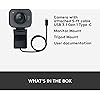
Built-In Media: Tripod Mount


Antenna Location: video conferencing, live streaming, content creation


Are Batteries Included: No


Manufacturer: Logitech


UPC: 097855153210


Warranty Description: 1 year Manufacturer


Video Resolution: 1080p


Video Capture Format: AVI


Effective Still Resolution: 2.07 MP


Image Capture Speed: 60 fps


Shooting Modes: Portrait


Image Aspect Ratio: 169


Supported Image Format: JPEG


White Balance Settings: Auto


File Format: JPEG


Exposure Control Type: Automatic


Effective Video Resolution: 1080 Pixels


Log Gamma Curve: true


Optical Zoom: 1 x


Zoom: Digital


Frequently asked questions

If you place your order now, the estimated arrival date for this product is: Mar 31 – Apr 4

Yes, absolutely! You may return this product for a full refund within 30 days of receiving it.

To initiate a return, please visit our Returns Center.

View our full returns policy here.

  • Klarna Financing
  • Affirm Pay in 4
  • Affirm Financing
  • Afterpay Financing
  • PayTomorrow Financing
  • Financing through Apple Pay
Leasing options through Acima may also be available during checkout.

Learn more about financing & leasing here.

Top Amazon Reviews


  • Best webcam that isn't a dedicated "real camera" setup - great bang for your buck
tl;dr: Best in class of clip-on webcams, the others are trash in comparison - and unless you want to spend WAY more money, the picture quality won't be better during video calls. Also GET A USB RING LIGHT - they are inexpensive, and you can clip it right behind the camera. Audio is marginal - use a real mic. Beware it's USB-C (so get a Female C > Male A adapter if needed) Full review: For now only costing $100-150, this webcam is VERY high quality, very responsive, and the Logi software allows you to (in most apps, like Zoom but not RingCentral, hit-or-miss) control the zoom and many other functions. The built-in Mic isn't that awful if you have no background noise, but pairing it with a good headset or external Mic is a must for top tier audio. If you want to spend $200+, get a dedicated camera or at least a Dell UltraSharp for the best quality. But this is better than virtually every other sub-$180 camera and some will think you have a DSLR on a tripod. For anyone doing a lot of video calls, this camera is a no-brainer. Yes, it's better than your laptop's camera (even your Macbook). No, the microphone is not better than others (actually your phone microphone does a better job), so get a good headset or Mic. If you're literally a professional making YouTube videos, you aren't even getting a webcam - so close this review and go buy a real camera. If you're an amateur or just doing lots of zoom / webex / teams / bluejeans / ringcentral (etc) calls, there ISN'T A BETTER CAMERA - and in fact, a better camera is just a waste of your money. Those video calls have a maximum video quality, and there's almost no instance where - if you get a ring light - anyone will know this isn't a pro-grade camera. Just get it. It works. ... show more
Reviewed in the United States on June 20, 2023 by p. kop

  • Top-Notch Personal Camera: A Must-Have for Docking Station Users
I’ve had my fair share of experiences with personal cameras, and I can confidently say that this one stands out as one of the best. For professionals who rely on docking stations for their computers and prefer using an external camera, this product is a game-changer. The quality is impeccable, and its compatibility with docking setups makes it a seamless addition to any workstation. Highly recommended for work and other professional settings ... show more
Reviewed in the United States on September 21, 2023 by Arun Sanna

  • Good image quality and excellent low-light handling, bad in bright/uneven lighting situations
This is a great camera, with excellent auto-focus and low-light handling and image quality suitable for streaming. The built-in mic does a good job for basic webcam duties, though you might want a higher quality one if you're a dedicated streamer. My one caveat with this camera is around bright and uneven lighting conditions. Images can become washed out under bright lighting, particularly when the light source is coming from one side. If you frequently have this situation, look at the Razer Kiyo Pro, which does a better job in such situations. ... show more
Reviewed in the United States on March 24, 2022 by B. Campbell

  • True plug & play
The stream cam works exactly as advertised, just plug in the usb c and zoom recognizes it instantly. If you want to be sure, just check your video settings in zoom and you’ll see the stream cam. If you don’t, it’ll be in the drop down menu (for testy computers). Looks great, and the simple attachment style is perfect for me because I travel with my setup a lot. 10/10 would recommend. Oh and seller shipped it out quickly as well, it arrived perfectly on time. ... show more
Reviewed in the United States on June 9, 2022 by Rae

  • box previously opened, no tripod
opened the box and noticed the plastic covering the camera was not attached and loose in the box. There was no tripod, but there was a small plastic bag that was empty inside the box. When I received it, I noticed a slight tear near the tape closing the box, but the tape looked new. This box was previously opened. ... show more
Reviewed in the United States on February 8, 2024 by Paul C.

  • "Almost" perfect
The camera itself is pretty much flawless. The picture quality is wonderful, color is excellent and light balance is awesome. For streaming to Twitch and general webcam use it's nearly perfect. Basic setup was pure plug and play. If you want to use their software it's a free download, but not really that necessary nor does it add anything I can't already do with OBS or the like. Only a couple suggestions I'd make to the OEM: A: add on a bloody privacy shutter. This is like a no brainer, and nearly every sub $40 cam has this, it's shameful that you don't. B: include a USB C to A adapter. It's nice for phone or tablet users that you have USB-C on the cable (which is "ok" in length at 5 feet. Could be a touch longer) but for those of us who use this primarily for Streaming from a PC, we either need to adapt it ourselves or use an existing USB-C port on our PC. In my case that's USB 2.0, so I lose some functionality. Both of these additions are a pittance for you to implement but would add tremendous value to the user. ... show more
Reviewed in the United States on March 15, 2022 by Jarl Seamus

  • Cable is not detachable.
Cable is not detachable, cable casing got cracked and peeled after a while an cannot be replaced. worked well otherwise.
Reviewed in the United States on August 12, 2025 by Wolf8rother

  • Calidad-precio de la streamcam plus logitech
La calidad de video es bastante superior a muchas otras cámaras y lo principal es que graba a 1080 full hd; de los pocos dias en uso desde que la compre a finales de Julio lo puntos + que encantaron son: Autoseguimiento y enfoque cuando te mueves y sin perder la resolución de grabación. Permite grabar y posicionar la cámara de forma vertical y horizontal. la calidad de grabación a 1080 con 60fps me pareció muy bien. la incorporación del microfono es genial pero eso si, la calidad de grabación la pongo en un nivel medio-bajo. el Cable tipo C usb es alredor de 2mts de logitud por lo que es mas ajustable y hace que lo puedas poner sobre el monitor tanto del lado-esquina izquierda como del lado derecho. el accesorio del tripode muy bien para hacer grabaciones o capturas desde varios angulos o sobre mesa. compatible con varios sistemas como Mac y Windows, Linux. ... show more
Reviewed in the United States on August 4, 2023 by Daniel Alberto Castro Claros Daniel Alberto Castro Claros

Can't find a product?

Find it on Amazon first, then paste the link below.
Checking for best price...