Search  for anything...

FOXWELL NT301 OBD2 Scanner Live Data Professional Mechanic OBDII Diagnostic Code Reader Tool for Check Engine Light

  • Based on 29,080 reviews
Condition: New
Checking for the best price...
$55.99 Why this price?
Save $13.99 was $69.98

Buy Now, Pay Later


As low as $9.33 / mo
  • – 6-month term
  • – No impact on credit to apply
  • – Instant approval decision
  • – Secure and straightforward checkout

Ready to go? Add this product to your cart and select a plan during checkout.

Payment plans are offered through our trusted finance partners Klarna, Affirm, Afterpay, Apple Pay, and PayTomorrow. No-credit-needed leasing options through Acima may also be available at checkout.

Learn more about financing & leasing here.

Free shipping on this product

30-day refund / replacement

To qualify for a full refund, items must be returned in their original, unused condition. If an item is returned in a used, damaged, or materially different state, you may be granted a partial refund.

To initiate a return, please visit our Returns Center.

View our full returns policy here.


Availability: 20 left in stock
Fulfilled by Amazon

Arrives Friday, Mar 27
Order within 12 hours and 34 minutes
Available payment plans shown during checkout

Protection Plan Protect Your Purchase
Checking for protection plans...

Features

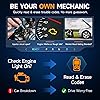
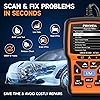
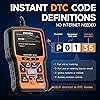
  • Your Personal CEL Doctor Read & Clear Engine CodesThe NT301 OBD2 scanner lets you read diagnostic trouble codes (DTCs), check em-issions readiness, turn off your Check Engine Light (CEL) or MIL, reset monitors, and view live data streams. It retrieves your vehicle's VIN instantly. Like all standard OBD2 scanners, it clears codes only after repairs are completedif the issue persists, the code will return. Designed for DIYers who want to understand whats really going on under the hood.
  • Easy Code Reading Just Plug & PlaySimply plug into the OBD2 port, turn the ignition to ON (engine off), and select the correct menu: Select OBDII-> Wait for seconds-> Select Read codes. For accurate results, ensure your vehicle is compatible and the OBD2 port is free from damage or wiring issues. No batteries needed powered directly by your car.
  • Live Data Graphing & Accuracy for Most OBD2 VehiclesView and log live sensor data in graph formmonitor oxygen sensors, fuel trims, coolant temp, RPM, and more. Spot trends and suspicious values in real time. Compatible with most 1996+ gasoline cars, light trucks, and SUVs sold in the U.S., as well as many 2000+ European and Asian models. Also works on 12V diesel vehicles equipped with OBD2.
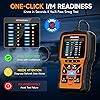
  • S-mog Check Helper Know Your Readiness Status at a GlanceWith dedicated I/M readiness hotkeys and a simple Red-Yellow-Green LED indicator, youll instantly know if your vehicle is ready for em-issions testing. Built-in speaker provides audio feedback. No guessworkjust confidence before you head to the test center.
  • A Must-Have Tool for Every Home MechanicCompact, rugged, and ready to use right out of the box. The 2.8 color screen is easy to read, even in daylight. No charging or setup requiredjust plug into the 16-pin DLC and start diagnosing. Recommended by professional mechanics on YouTube and trusted by DIYers worldwide.
  • Lifetime Updates + 1-Year Seller AssuranceEnjoying plug and play and peace of mind with our 1-year seller assurance. No need to update before use. If you receive a damaged, used, or incomplete unit, well replace it or issue a full refund. If youre not satisfied and choose to return it, please mark it as unsellable so it wont be resold to another customerwe appreciate your honesty.

Brand: FOXWELL


Power Source: Plug and Play, Full OBDII Functions, Live Data Logging, Data Print, One Key I/M Readiness, DTC Help


Product Dimensions: 8.66"L x 3.15"W x 6.69"H


Operating System: [Choice Of Millions People] [Recommended by Major Websites/Mechanic] Windows_XP/7/8/10 to update, Mac and IOS system not supported. See more


Screen Size: 2.8 Inches


Brand Name: FOXWELL


UPC: 721272382099 634769664960 602938429979 710882313685 689782535353


Global Trade Identification Number: 99


Manufacturer: FOXWELL


Item Type Name: FOXWELL Professional Enhanced OBDII Diagnostic Code Reader


Included Components: 1*NT301 obd2 scanner, 1* usb cable, 1* quick reference guide


Item Weight: 0.16 Kilograms


Manufacturer Warranty Description: 12 Months


Power Source: Plug and Play, Full OBDII Functions, Live Data Logging, Data Print, One Key I/M Readiness, DTC Help


Operating System: [Choice Of Millions People] [Recommended by Major Websites/Mechanic] Windows_XP/7/8/10 to update, Mac and IOS system not supported.


Screen Size: 2.8 Inches


Native Resolution: 320x240


Item Dimensions L x W x H: 8.66"L x 3.15"W x 6.69"H


EU Spare Part Availability Duration: 2 Years


Frequently asked questions

If you place your order now, the estimated arrival date for this product is: Friday, Mar 27

Yes, absolutely! You may return this product for a full refund within 30 days of receiving it.

To initiate a return, please visit our Returns Center.

View our full returns policy here.

  • Klarna Financing
  • Affirm Pay in 4
  • Affirm Financing
  • Afterpay Financing
  • PayTomorrow Financing
  • Financing through Apple Pay
Leasing options through Acima may also be available during checkout.

Learn more about financing & leasing here.

Top Amazon Reviews


  • Incredible Value and Super Easy to Use
So much value packed into this tool. The design is clean, it’s compact, and the screen reads crystal clear. Very functional and easy to navigate. It took me under five minutes to figure out how to read and clear codes. I was able to diagnose and clear two EVAP codes with it. Pull the code, look it up, and follow the fault tree. I also really like the EVAP test function and the live data readout in real time. Without that, you’d have to wait for the engine to eventually throw a code, which can take several minutes depending on what the purge valve is doing. Great diagnostic tool for the price. ... show more
Reviewed in the United States on February 28, 2026 by Brandon Vang

  • Great tester, lots of options great price, and upgradable.
My son has the same unit that I purchased, and I’ve borrowed his so often that I ordered one for myself. But before I did, I watched a YouTube channel called Project Farm. If you’re not familiar with him, he buys different items and compares them. He doesn’t take advertisements or free items; he pays for everything he tests and purchases them from retail sites just like you and me. According to his tests, the Foxwell NT301 has more options and capabilities than all the others he tested, and at a better price. The Foxwell NT301 works on all vehicles and can be updated every year for the latest model, so it will work on any car you have now and in the future. The screen is large, color, and easy to see; you can clear codes, read codes, check oxygen sensors, and see live tests as you drive. It’s an all-around great unit at a fantastic price that saves you from paying big money at your local dealership. ... show more
Reviewed in the United States on March 21, 2026 by Sandy lloyd

  • Not for batteries
Code reader was easy to use but the instructions were on the weak side. I bought this to reset a light caused by my battery being bad. Would not read the code or reset. I think there is a plus model or the 501 does it. I should have read more. Oh well.
Reviewed in the United States on November 26, 2025 by Ron

  • Check engine light on? Here's the solution!
Works like a champ! I've used it for years on my 2016 Ford F-350 with a 6.7l Powerstroke. It's reliable and easy to use. Works so well i ordered a second one for my other pickup. It's easier to just read and clear a code that pops up rather than drive home with a check engine light. I keep one in each truck. And, it's worked multiple times in -40 degree temperatures. Great product! ... show more
Reviewed in the United States on January 16, 2026 by Adrian

  • Big bang for your buck!
Excellent product. Very detailed and very easy to use. The scan tool offers more than most scanners in this price range. Being able to not only scan for codes but having this tool tell you this likely cause of that code is pretty awesome. Zero complaints. Fast, easy and great price.
Reviewed in the United States on January 12, 2026 by VerK

  • Great scanner
Product works great. Told me exactly what was wrong and was very easy to use. I highly recommend.
Reviewed in the United States on February 7, 2026 by Andrew phillippi

  • Code reader
Works good, good price and delivered on time.
Reviewed in the United States on March 10, 2026 by Bryon

  • Nice gear but the documentation.
Hailing from the shade tree mechanic era of points & plugs ignition and the carburetor accelerator pump, most of what goes on that fills the NT301 data stream is way above my pay grade. While the likes of EGR, O2 and catalyst are not beyond my understanding, the value 12.226 associated with a VPWR(V) certainly is. Being the consummate motor head, the dreaded "service engine soon" lit up for the first time from behind its mask on my dashboard finally gave me the impetus to purchase a code reader. Upon some goodly research, and a screaming hot Amazon deal (a few bucks more than the NT201), I settled on the NT301 and I'm not disappointed. I had two reasons for the purchase: 1) To read the code(s) and have some knowledge in advance of a mandatory visit to a repair shop as that "service engine soon" (or "check engine") light is grounds for instant rejection for my county's annual inspection, even if the good ol' tailpipe sniffing and other "hands on" checks would pass the Federal mandates. As well, it might reveal a serious issue that shouldn't be ignored. 2) To satisfy that ubiquitous question: how can one turn that light off if one wanted to? Searching teh googuhl for either "check engine" or "service engine soon" returns gazillions of hits with bazillions for ODB scanners. Makers, sellers, yoot oobs, reviews, best of... oh my. Not to mention, "over 1000 results" here on the 'zon. I opened NT301_OBDII_V1.00.pdf (the equivalent of the printed manual) in Tracker Software's PDF-XChange Viewer and used its powerful search engine to help out. The words "check engine" or "service engine soon" do not appear in the manual. Instead, one finds section 4.2, Erase codes, for the two choices - an "Erase hot key" and an Erase Codes item in the diagnostic menu. The reference to the hot key appears no where else. The down key has a big old ERASE printed on it. Section 2.1 refers to that as a "Quick access to the Clear Codes function before going to diagnostic menu..." And that's it. Clear = Erase?? Hot key = Quick access?? Fortunately, using the down/ERASE key (you really, really need down) didn't seem to erase or clear anything. My "service engine soon" light remained shining bright as my county and the Federal bureaucrats and repair shops far and wide would have it. I'm OK with that, but in that respect, an obscure "Erase hot key" is dangerous if that shuts off the light. Yet, the question remains, does NT301 anything extinguish the light? Another documentation shortcoming is illustrated in figure 4-30. Although the green check mark and the no symbol can be presumed, my result had two white-X-on-red results with no explanation on what that means. Considering the Federal legal implications of the environmental technology presented by the the I/M Readiness Status, the documentation focuses only on the the three simple LEDs while fully ignoring the really neat Diagnostic Menu Screen. All that said, even at the regular price, the NT301 seems to deliver a great bang for the buck. Further, I'm motivated to hit the books, uh, internet and study up on some of this OBD stuff. Kudos for the 08/01/18 firmware (v4.24) burn date on an 08/15 purchase. A pleasant surprise. But I've got to ding two stars for omitting The Obvious from the manual. Some other reviewers here are less than satisfied with the manual as well. Admittedly, the manual should not be held to the standard of a concise tutorial. SIDEBAR: The problem was repaired; the car passed emissions testing. I still have the two white-X-on-red symbols in the I/M Readiness Status Diagnostic Menu Screen. So, what the heck... ... show more
Reviewed in the United States on August 21, 2018 by NoName

Can't find a product?

Find it on Amazon first, then paste the link below.
Checking for best price...