Search  for anything...

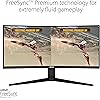
ASUS VG34VQL1B TUF 34 Inch Curved Gaming Monitor - WQHD (3440x1440), 165Hz, 1ms, Extreme Low Motion Blur, FreeSync Premium, Eye Care, Height Adjustable, DisplayHDR 400, DisplayPort, HDMI, USB

  • Based on 9,169 reviews
Condition: New
Checking for the best price...
$369.00 Why this price?

Buy Now, Pay Later


As low as / mo
  • – Up to 36-month term if approved
  • – No impact on credit to apply
  • – Instant approval decision
  • – Secure and straightforward checkout

Ready to go? Add this product to your cart and select a plan during checkout.

Payment plans are offered through our trusted finance partners Klarna, Affirm, Afterpay, Apple Pay, and PayTomorrow. No-credit-needed leasing options through Acima may also be available at checkout.

Learn more about financing & leasing here.

Selected Option

Free shipping on this product

FREE 30-day refund/replacement

To qualify for a full refund, items must be returned in their original, unused condition. If an item is returned in a used, damaged, or materially different state, you may be granted a partial refund.

To initiate a return, please visit our Returns Center.

View our full returns policy here.


Availability: Only 10 left in stock, order soon!
Fulfilled by Amazon

Arrives Saturday, Mar 28
Order within 58 minutes
Available payment plans shown during checkout

Protection Plan Protect Your Purchase
Checking for protection plans...

Style: 34" Curved QHD 165Hz Height Adjustable


Features

  • 34-inch WQHD (3440x1440) 1500R curved gaming monitor with ultra-fast 165Hz (supports 144Hz) refresh rate designed for professional gamers and immersive gameplay
  • ASUS Extreme Low Motion Blur (ELMB ) technology enables a 1ms response time (MPRT) to eliminate ghosting for sharp gaming visuals at high frame rates
  • FreeSync Premium technology to eliminate screen tearing and choppy frame rates
  • High Dynamic Range (HDR) technology with professional color gamut delivers contrast and color performance that meets the DisplayHDR 400 certification
  • Extensive connectivity with DisplayPort 1.4 x2, HDMI (v2.0) x2, USB Hub ports
  • Supports both Adaptive-Sync with NVIDIA GeForce graphics cards and FreeSync with AMD Radeon graphics cards Compatible with NVIDIA GeForce GTX 10 series, GTX 16 series, RTX 20 series and newer graphics cards
  • 3-month Adobe Creative Cloud: Receive complimentary access with the purchase of this product (valid until 8/31/2026)

Description

Designed for fast-paced games, the TUF Gaming VG34VQL1B is a 34” curved gaming monitor with 165Hz refresh rate and AMD FreeSync Premium technology to eliminate screen tearing and choppy frame rates, giving you an immersive gameplay. Enjoy gaming sessions with the VG34VQL1B’s ergonomic, adjustable stand and ASUS Eye Care technology.

Brand: ASUS


Screen Size: 34 Inches


Resolution: QHD Wide 1440p


Aspect Ratio: 219


Screen Surface Description: Curved


Standing screen display size: ‎34 Inches


Screen Resolution: ‎3440x1440


Max Screen Resolution: ‎3440 x 1440 Pixels


Number of USB 3.0 Ports: ‎2


Brand: ‎ASUS


Series: ‎VG34VQL1B


Item model number: ‎VG34VQL1B


Item Weight: ‎19.86 pounds


Product Dimensions: ‎31.85 x 16.38 x 10.79 inches


Item Dimensions LxWxH: ‎31.85 x 16.38 x 10.79 inches


Color: ‎BLACK


Voltage: ‎240 Volts


Manufacturer: ‎asus


Date First Available: ‎November 24, 2020


Frequently asked questions

The ASUS TUF Gaming 34 Inch Monitor supports Wide Quad High Definition (WQHD) resolution, which offers pixel dimensions of 3440x1440. This provides a high level of detail and depth, providing an immersive gaming experience.

Yes, it does. The ASUS TUF Gaming Monitor offers an impressive 165Hz refresh rate. This ensures faster and smoother gaming experience by diminishing lag and motion blur.

DisplayHDR 400 is a certification standard that ensures the monitor offers great contrast and colour accuracy. The ASUS TUF Gaming Monitor with DisplayHDR 400 certification delivers brighter whites and darker blacks, enhancing the overall image quality and gaming experience.

The Eye Care feature in the ASUS TUF Gaming Monitor aims to reduce eye strain and fatigue during long gaming sessions. This is done by adjusting color balance and reducing flickering light levels to create a more comfortable viewing experience.

Top Amazon Reviews

🚀 Abunda's Overview

This is our summary and key points to consider based on customer reviews.


This Asus monitor has received glowing reviews from users who are using the gadget primarily for gaming and everyday office work. Customers highly appreciate the picture quality, excellent contrast, and motion. A wonderful asset noted is the VESA mounting screw holes placement's utility. However, some users have reported issues with dead pixels and imperfections in picture quality like grey lines on dark screens.

Pros

  • 👍 Excellent picture quality and contrast
  • 👍 Highly suited for gaming and everyday office work
  • 👍 The VESA mounting screw holes are well positioned
  • 👍 Offers a built-in USB hub & supports multiple ports

Cons

  • 👎 Some users have reported issues with dead pixels
  • 👎 Imperfections in picture quality like grey lines on dark screens
  • 👎 You cannot use 10bit colors with the 165hz this monitor supports at the same time

Should I Buy It?

Yes, it's a good buy if you're looking for a monitor that enhances both your gaming experience and everyday office work. Bear in mind there might be some minor issues with picture quality. The pros, however, surpass the cons given its price bracket for a monitor with these features.


  • Good gaming monitor with some downsides but at an excellent price.
Style: 34" Curved QHD 165Hz Height Adjustable
Purchased on: April 19, 2021 and reviewed as of January 17, 2023. I tend to look at Asus more favorably because of my good experience with the brand so I ended up buying this monitor after reading Rtings' review on this model. (if you are interested in a very technical and more in depth review, I would suggest to look them up) The quality it offers for the price is great. I didn't have any issues with dead pixels, packaging was great and it arrived in good condition, the color profile looks great and very accurate (although I don't have the measuring tools to make this claim from a creative standpoint). The VESA mounting screw holes are well positioned in a way that you should be able to use any VESA plate. (this is important to consider as other models, like my other monitor, which has a square hole for the entire plate and it is a little to small to fit most VESA mounts despite having accurate screw holes) For general media consumption and gaming, this is an incredible monitor. In general, I would say I could never go back to using a standard widescreen for a PC. Ultrawide is a massive upgrade with the extra screen size. The resolution this monitor offers is great too as the text looks clean and it isn't as resource taxing as a 4K monitor would be. I would say this monitor is a great entry point for anyone considering an ultrawide screen. Black uniformity looks good in my opinion despite the lack of any dimming zones. Another great feature that it has is the 4 USB hub right underneath (USB 3.2 type A). Although I wouldn't use it for a keyboard and mouse if you are a serious gamer, it is very useful for other things such as charging your devices, plugging in an RGB strip so you can use it as a backlight, external storage or any other accessories or USB drives. (In addition to those, it has 2 Display ports, 2 HDMI 2.0 ports and a 3.5 headphone jack) On the other hand, there are a few things to keep in mind. You will not be able to use 10bit colors with the 165hz this monitor supports at the same time. If you go for 165hz, you will be limited to 8bit colors. However, if you are okay with 144hz, you can enable the full 10bit colors range. Another thing often criticized about this monitor is the slight smearing sometimes appearing in dark scenes where you might see the trails of a red/greenish pixels turning as a brighter object moves. This can be somewhat mitigated with overdrive settings. Unfortunately, this is more of a VA panel common issue than anything else and your best option if you really can't stand it is to go for an IPS or OLED panel at much higher cost. Overall, I would say this is a good quality product and I would highly recommend it. I can't speak much about the stand as I use a monitor arm and, I would suggest everyone to use one as well due to the flexibility and movement it offers on top of making your setup much cleaner. ... show more
Reviewed in the United States on January 18, 2023 by A

  • Top notch gaming monitor
Style: 34" Curved QHD 165Hz Height Adjustable
Top notch gaming monitor. My daughter loves it. Beautiful graphics and performance. Highly recommend, especially if you can get it on sale or black friday.
Reviewed in the United States on January 31, 2026 by ANNE

  • Solid monitor
Style: 34" Curved QHD 165Hz Height Adjustable
Good monitor for the money with no issues so far.
Reviewed in the United States on February 18, 2026 by A Smith

  • Great widescreen VA panel
Style: 34" Curved QHD 165Hz Height Adjustable
Coming from a 24" 60hz IPS display, this is a huge step up. The unit I received has very even lighting and no dead pixels. I had heard complaints about purple/green ghosting on this panel when the overdrive setting is turned up, but I can't detect any ghosting regardless of what settings I use of what game I load up. I did have some flickering with freesync turned on, so I turned it off, but I was using old display drivers. I've since updated the drivers and turned it back on, and haven't seen any flickering since then (we'll see). Please note that the freesync issues reportedly seem to be more of an issue for those with NVIDIA graphics cards (I am using an AMD product). Aside from minor freesync issues, any negatives I can attribute to this display have mostly to do with the slightly different character of the image and colors as the result of the VA panel when compared to IPS. Personally, I use this screen in a dark-ish room, and am more sensitive to glare than most people, so the excessive brightness and backlight bleed from IPS panels bothers me a whole lot more than any of the quirks of VA panels (which again, are minimal here). This is ultimately a matter of taste regarding differences in display technology. I also hated the physical styling of all of the "gaming screens" that look like they were designed by kids. The styling on this monitor is VERY toned down, and you wouldn't know it was marketed as a gaming display by looking at it. This was important to me. I was cross shopping this with the Gigabyte W34WQC (curved VA version), and the LG 34WP65C, both of which are cheaper, but reviews seem to indicate that these panels have more QC and image quality issues than this Asus. Once IPS local dimming and/or OLED become more ubiquitous, I may upgrade. However, that's highly dependent on price, and I don't feel like the immature implementations of these technologies are currently worth the price premium (~2x the cost). There's nothing wrong with old tech as long as the implementation is good quality, as is the case with this display. This is a good quality VA widescreen display at a great price, if that's what you're after then this should be an easy decision. I am rating this 4/5 only because of the speakers, and freesync issues. ... show more
Reviewed in the United States on October 27, 2022 by E R

  • Worth the purchase!
Style: 34" Curved QHD 165Hz Height Adjustable
Great monitor, fast delivery, easy set up!
Reviewed in the United States on February 23, 2026 by Amazon Customer

  • Excellent Budget Choice!
Style: 34" Curved QHD 165Hz Height Adjustable
I received the monitor yesterday and switched out a failing 32" monitor for this 34" ultra wide behemoth. Assembly and switching out the monitors was easy. No bad pixels and excellent color. I like the controls position and ease of access even though they are on the back of the monitor. Viewing on the curved monitor is amazing and very clear. It is my first experience with a curved monitor and everything is clear, clean, beautiful. The only thing I did after installing it was turning on my computer's HDR and BAM the details... amazing. Using the included DP cable rather than HDMI allowed me to get the highest refresh rates. If there is any issue in the future, I will edit this review. ... show more
Reviewed in the United States on January 22, 2026 by MM NJ

Can't find a product?

Find it on Amazon first, then paste the link below.
Checking for best price...